Concentration vs Dose Errors: Find Which Variable Changed
Separate mass, volume, concentration, target amount, and U-100 markings before redoing peptide math, with a decision table and worked example.
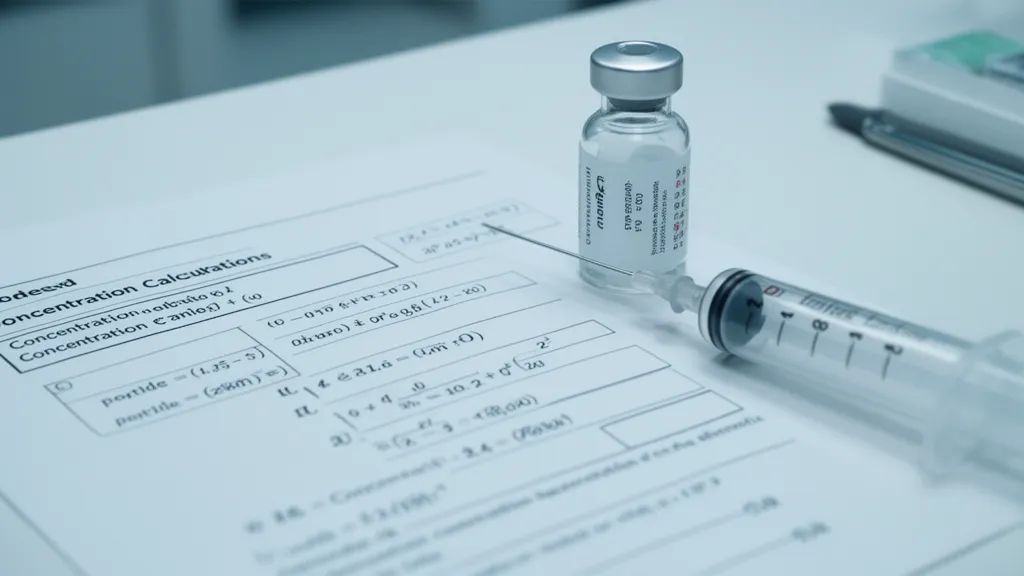
When peptide math looks wrong, first identify which variable changed. A different vial amount changes mass. A different amount of liquid changes volume and concentration. A different target changes the amount being calculated. A different syringe scale changes how volume is displayed. These are separate axes, so reusing a familiar mark without checking the changed variable can carry the wrong assumption into the next calculation.
This is a research-math reference, not a dosing recommendation. The useful question is: what does the number on the page or syringe actually describe?
The four quantities to keep separate
| Quantity | What it describes | What changes it | What it does not tell you by itself |
|---|---|---|---|
| Total peptide mass | The stated amount of peptide associated with the vial | A different vial amount or stated mass | The solution volume or a syringe mark |
| Liquid volume | The amount of solvent in the vial | The amount of liquid added or removed | The peptide mass present |
| Concentration | Peptide mass per unit of liquid | Total mass and liquid volume | The target amount for a particular draw |
| Target amount | The amount selected for a calculation | The user’s chosen input | The concentration in the vial |
The calculator relationship is:
Concentration (mg/mL) = total peptide (mg) ÷ volume (mL)
That is a unit relationship used by the PeptideClock calculation model, not evidence about potency, efficacy, or clinical use. If either input changes, recalculate the concentration before interpreting any later volume or marking.
A branch table for finding the error
| What changed? | Which step is affected? | Where to restart |
|---|---|---|
| The stated vial mass changed | Total-mass input and concentration | Re-enter the mass, recalculate concentration, then recalculate volume or markings |
| The liquid volume changed | Concentration | Divide the same stated mass by the new volume before using a previous chart row |
| The target amount changed | Target-to-volume calculation | Keep the verified concentration, then calculate the new volume |
| The syringe scale or barrel changed | Volume-to-marking conversion | Confirm the scale definition before converting volume to marked units |
| More than one input changed | Several steps | Rebuild the chain from the stated mass and liquid volume |
The most common trap is changing the liquid volume while keeping the old syringe mark. A chart row is tied to the concentration it assumes. Change the volume, and the concentration changes; the old row no longer represents the same setup.
Worked arithmetic example
Suppose a calculation uses 5 mg of total peptide in 2 mL of liquid:
5 mg ÷ 2 mL = 2.5 mg/mLThat result describes the concentration. It does not select a target amount, and it does not by itself produce a syringe marking. A later volume calculation must use a stated target amount and the verified concentration.
If the same stated mass were paired with a different liquid volume, the concentration would need to be recalculated before any downstream result was reused. This is arithmetic, not a claim about how a particular peptide behaves in storage or in a biological system.
What U-100 markings mean—and what they do not mean
FDA piston-syringe guidance describes U-100 insulin syringes as marked for U-100 insulin and gives a standard size of 1.0 mL (100 units). On that U-100 scale, each marked unit represents 0.01 mL of volume. (FDA piston-syringe guidance)
That is a volume conversion. A marked unit is not automatically a peptide mass, an international unit, or a target amount. Concentration is the missing link that assigns mass meaning to a volume. The U-100 insulin syringe reference shows the scale relationship, while the mL-to-units conversion hub handles the site’s broader conversion tables.
For a U-100 workflow, the PeptideClock calculation rule uses 100 marked units per mL. Treat that as the site’s stated math convention and keep the scale assumption visible in any worksheet or record.
A short restart checklist
Before reusing a result, write down the four inputs that matter:
- stated total peptide mass
- liquid volume in mL
- concentration calculated from those two values
- target amount or volume, followed by the confirmed syringe-scale conversion
If you cannot identify one of those inputs, the result is not ready to interpret. The Peptide Calculator can show the calculation chain for a stated setup. For background on the underlying relationships, see Peptide Dosing Explained and the complete reconstitution guide.
Bottom line
Concentration describes the vial; target amount describes the calculation target; U-100 markings describe a volume scale. They interact, but they are not interchangeable. Find the variable that changed, restart the math at that step, and keep the U-100 assumption visible instead of carrying forward a familiar marking by memory.
References & Evidence
- FDA, Guidance on Content of Premarket Notification (510(k)) Submissions for Piston Syringes — U-100 labeling and the 1.0 mL (100 units) scale reference.
- PeptideClock calculation model —
docs/calculator.mdandsrc/utils/peptideCalculator.ts— concentration and U-100 volume-conversion arithmetic used in the worked example and site tools.